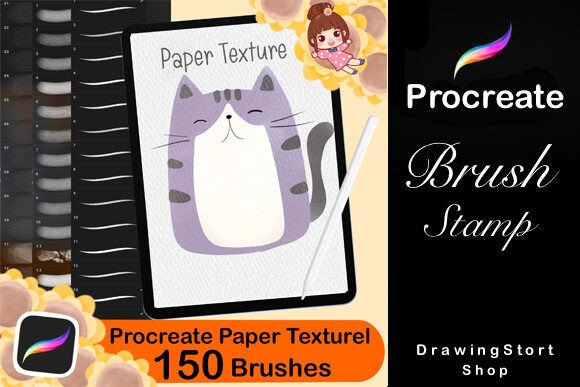
Transform Your Digital Art with 150 Procreate Paper Texture Brushes
There is a distinct feeling when you drag a stylus across digital glass that simply does not mimic the resistance and soul of traditional media. For years, digital artists have chased the perfect illusion of grain, tooth, and absorption to bridge that gap. The solution for many creators lies in a comprehensive toolkit like the 150 Procreate Paper Texture Brushes. This collection is not just a folder of settings; it is a bridge between the tactile world of analog art and the limitless possibilities of the iPad. Whether you are a seasoned illustrator or someone just picking up an Apple Pencil, understanding how these tools function can fundamentally change your workflow and the final quality of your work.
Why Texture Matters in Digital Illustration
Digital art often suffers from being too clean. While vector lines and smooth gradients have their place, they can sometimes feel sterile, lacking the organic imperfections that make hand-drawn art resonate with viewers. Real paper interacts with pigment. Watercolor blooms on rough stock, charcoal smudges into the fibers, and pencil lead catches on the peaks of the grain. The 150 Procreate Paper Texture Brushes pack replicates this interaction by simulating the physical properties of various surfaces directly within the Procreate app.
When you apply these brushes, you aren't just adding a pattern overlay; you are altering how the opacity and flow of your strokes behave. A dry brush might skip over the "highs" of a virtual canvas, creating a broken line that looks authentically sketchy. A wet brush might pool in the "lows," mimicking the saturation of watercolor on cold-press paper. This level of detail is crucial for artists who want their digital pieces to retain a human touch without needing to scan physical artwork.
What Is Actually Included in the Collection?
This specific resource is designed to cover the vast majority of traditional mediums an artist might wish to emulate. It is a robust library containing three distinct categories of tools, totaling 150 unique options:
- 50 Procreate Paper Texture Brushes: These are the foundational tools. They simulate the surface itself, ranging from smooth bristol board to heavy, textured watercolor pads. They provide the "tooth" that other brushes interact with.
- 50 Chalk Crayons Brushes: Designed to replicate the dusty, soft, and blendable nature of pastels and chalk. These are essential for creating atmospheric backgrounds, soft shading, and vibrant, matte color layers.
- 50 Pencil Brushes: From fine mechanical pencils to thick graphite sticks, these brushes offer varying degrees of hardness and pressure sensitivity, perfect for sketching, hatching, and detailed line work.
Each brush is engineered specifically for the Procreate engine on the iPad, ensuring that features like tilt recognition, pressure curves, and wet mix capabilities function exactly as intended. You are getting a curated set of tools that work together seamlessly, rather than a random assortment of incompatible settings.
Real-World Applications for Creators
The versatility of the 150 Procreate Paper Texture Brushes means they fit into a wide array of creative scenarios. Let's look at how different users leverage these tools in their daily lives.
The Freelance Illustrator
For a freelancer working on children's book illustrations, the demand for warmth and character is high. Clients often reject art that looks too "computer-generated." By utilizing the watercolor paper textures and crayon brushes from this set, an illustrator can create pages that feel cozy and handmade. Imagine sketching a character with the 50 Pencil Brushes to get the form right, then layering soft colors using the chalk crayons to give the image a dreamy, storybook quality. The texture adds depth that flat digital fills cannot achieve, allowing the artist to command higher rates for work that feels premium and artisanal.
The Hobbyist and Journaler
Bullet journaling and digital scrapbooking have moved largely to tablets due to their portability. A hobbyist might use the Procreate Paper Canvases feature combined with these brushes to create a digital planner that feels like a real notebook. Using the realistic paper textures, they can write notes that look handwritten, draw doodles that appear to be sketched in ink or pencil, and even simulate the bleed-through of watercolor paints. This allows for a satisfying creative outlet that requires no cleanup and no mess, yet retains the nostalgic feel of pen on paper.
The Educator and Content Creator
Educators teaching art online face the challenge of demonstrating techniques remotely. With this brush set, a teacher can show students exactly how a specific type of paper affects a medium. They can demonstrate how a rough texture breaks up a line or how a smooth surface allows for blending. Furthermore, bloggers and marketers creating content about art supplies can use these tools to generate mockups. Instead of photographing physical products, they can design packaging or advertisements using the Texture Procreate brushes to show how a product would look printed on specific types of stationery.
Considerations Before You Download
While the 150 Procreate Paper Texture Brushes offer immense value, there are practical steps to ensure you get the most out of them. First, consider your hardware. While Procreate runs on most iPads, rendering complex textures with high opacity and large brush sizes can tax older devices. If you are using an older iPad model, you may want to test a few brushes first to see if they cause lag during your specific workflow.
Secondly, understand the learning curve. Importing a new set of 150 brushes can be overwhelming if you try to master them all at once. It is better to pick one category—perhaps the Pencil Brushes—and practice until you understand how the pressure and tilt settings affect the stroke. Once you are comfortable, move on to the next set. The included PDF guide is essential here; it walks you through the import process step-by-step, ensuring your brushes appear correctly in your studio.
Finally, think about file management. With 150 new assets, your Procreate interface could become cluttered. Create custom folders immediately upon import. Group them by medium (e.g., "Dry Media," "Wet Media," "Sketching") so you can find the exact tool you need in seconds during a creative flow state. Organization is key to maintaining efficiency when you have such a large library at your disposal.
Getting Started: The Immediate Workflow
One of the best aspects of purchasing digital resources like this is the immediacy. After your purchase, you will be able to download the files right away. There is no waiting for shipping or dealing with physical inventory. Once the download is complete, follow the attached PDF instructions to import the brushes into Procreate. The process typically involves tapping the "+" icon in the brush library and selecting the downloaded files.
Once imported, start by setting up a new canvas. Choose a blank white background or select a pre-made Realistic Paper Textures For Procreate canvas if available in your project. Select one of the 50 Pencil Brushes and begin a simple sketch. Notice how the line varies as you change your angle and pressure. Then, switch to a chalk crayon brush and try to shade a section. Observe how the color sits on top of the paper grain. This hands-on experimentation is the fastest way to integrate these tools into your personal style.
The 150 Procreate Paper Texture Brushes are more than just a software add-on; they are a method of reclaiming the organic beauty of traditional art in a digital space. By providing realistic interactions between brush and surface, they empower artists, educators, and hobbyists to create work that feels authentic, textured, and deeply human. Whether you are producing commercial assets for a small business or simply enjoying a quiet evening of digital sketching, these tools provide the foundation for bringing your vision to life with the richness of real-world materials.