Unlocking Creative Potential: The Ultimate Guide to Seamless Pattern Procreate Brushes
In the rapidly evolving landscape of digital art, efficiency and versatility are paramount. For artists, designers, and hobbyists using the iPad and Apple Pencil, the ability to create complex textures and repeating backgrounds instantly can transform a workflow from laborious to liberating. This is where Seamless Pattern Procreate Brushes come into play. These specialized tools bridge the gap between manual repetition and automated design, allowing creators to focus on composition rather than tedious replication.
This guide explores the mechanics, benefits, and practical applications of these digital assets, specifically focusing on a premium collection designed to elevate your artistic output. Whether you are a seasoned illustrator or just beginning your journey with Procreate, understanding how to leverage seamless brushes is essential for modern digital creativity.
What Are Seamless Pattern Brushes?
To understand the value of this tool, one must first grasp the concept of a "seamless pattern." In traditional design, creating a pattern that repeats without visible edges requires significant skill and time. You must ensure that the left edge matches the right, and the top matches the bottom perfectly. If even a single pixel is misaligned, the illusion breaks when the pattern is tiled across a large canvas.
Seamless Pattern Procreate Brushes automate this process. Unlike standard drawing brushes that apply ink or color based on pressure and tilt, a pattern brush applies a pre-defined image tile every time you make a stroke. Because the underlying image is mathematically calculated to loop perfectly, you can draw a continuous line, a zigzag, or a random scatter, and the resulting texture will tile infinitely without seams.
The Technical Advantage of Digital Brushes
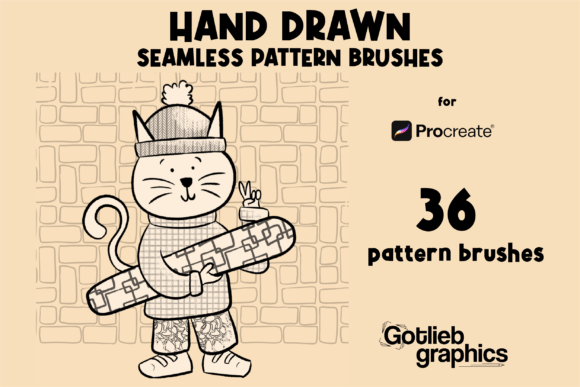
These brushes are not physical objects; they are sophisticated data files containing instructions for the Procreate engine. When you download a set like the 36-pattern collection, you are acquiring a library of distinct textures—ranging from organic florals and geometric grids to abstract grunge and fabric weaves. Each brush in the set is configured to recognize the boundaries of its own image, ensuring that no matter how you move your Apple Pencil, the pattern flows naturally.
This technology fits seamlessly into modern creative workflows. In business, for instance, a graphic designer might need to mock up a textile design for a client within minutes. Instead of manually arranging elements, they can use a seamless brush to generate a full-scale fabric swatch instantly. In education, students learning about tessellation and symmetry can experiment with complex patterns without getting bogged down in the technicalities of alignment.
Why Choose a Dedicated Brush Set?
While it is possible to create seamless patterns from scratch within Procreate using the app's built-in tools, the process is time-consuming. It involves masking, offsetting layers, and erasing edges to find the perfect match. A dedicated brushset file eliminates this friction. By purchasing a curated collection, you gain immediate access to high-quality assets that have been professionally tested for compatibility and visual appeal.
The specific set mentioned here offers 36 unique pattern brushes. This variety is crucial because different projects require different moods. A children's book illustration might need soft, playful polka dots, while a fashion portfolio might demand sharp, structured houndstooth or intricate damask. Having a diverse palette allows you to switch contexts rapidly, keeping your creative momentum going.
Practical Applications in Daily Creativity
The utility of these brushes extends far beyond simple background filling. Here are several ways they integrate into daily artistic activities:
- Surface Texturing: Add depth to flat illustrations by overlaying a subtle paper grain or fabric texture brush over a character or object.
- Background Design: Create immersive environments for UI/UX design or game assets where repeating floor tiles or wall patterns are necessary.
- Product Mockups: Visualize how a logo or print would look on wrapping paper, clothing, or home decor items before sending files to a manufacturer.
- Speed Painting: Quickly block in areas of interest with patterned strokes to establish tone and value without rendering every detail.
How to Install and Use Your .brushset File
One of the most common questions beginners ask is how to get these digital files into their workflow. Since this product is a digital file download, there is no physical shipping involved. Once you purchase the item, you will receive a single .brushset file. This format is native to Procreate, making installation straightforward.
- Purchase and Download: Complete your transaction and save the file to your iPad's Files app or directly to your device storage.
- Open Procreate: Launch the Procreate application on your iPad. Ensure you have an active project open or start a new one.
- Navigate to Brushes: Tap the brush icon in the top toolbar to open the Brush Library.
- Import the Set: Look for the three dots (...) in the top right corner of the library screen. Select Import and then choose Import All or select the specific
.brushsetfile you downloaded. - Select and Draw: The new category containing your 36 patterns will appear in your library. Tap on any brush to activate it, then use your Apple Pencil to draw on the canvas.
It is important to note that these brushes are optimized specifically for the Procreate App for iPad. They rely on the app's specific rendering engine and the pressure sensitivity of the Apple Pencil to function correctly. Attempting to use these files in other software like Photoshop or Clip Studio Paint will not work, as the file structure is proprietary to Procreate.
Common Misunderstandings About Digital Assets
As with many digital products, there are a few misconceptions that can lead to confusion. Clarifying these points ensures a smooth experience for all users.
Digital vs. Physical Goods
A frequent assumption among new buyers is that purchasing a "brush" means receiving a physical stylus or a printed stencil. It is vital to understand that this is strictly a digital file download. No physical items will be sent via mail. The value lies entirely in the data contained within the file, which unlocks new capabilities within your existing software.
Compatibility Concerns
Another common question is whether these brushes work on older iPads or non-Procreate apps. While Procreate supports a wide range of iPad models, the complexity of certain pattern brushes may require a device with sufficient processing power to render them smoothly. Furthermore, as previously mentioned, these are exclusive to Procreate. They cannot be transferred to Android tablets or desktop computers running Windows or macOS, unless those devices are running the Procreate app (which is currently iPad-exclusive).
The Significance of Seamless Design in Modern Work
In the broader context of technology and business, the ability to iterate quickly is a competitive advantage. The rise of e-commerce has increased the demand for custom packaging, textiles, and digital wallpapers. Artists who possess a library of seamless patterns can fulfill these requests faster than those who must build every texture from scratch.
Moreover, in the realm of remote work and digital collaboration, having a portable, cloud-accessible toolkit allows creatives to produce professional-grade work from anywhere. The iPad, paired with powerful tools like seamless pattern brushes, has democratized high-end design, making it accessible to freelancers, educators, and independent creators alike.
Building a Broader Understanding
Ultimately, mastering these tools is about more than just applying a texture; it is about understanding rhythm, repetition, and visual flow. When you use a seamless brush, you are engaging with the fundamental principles of design. You learn how small changes in spacing, opacity, and stroke direction can drastically alter the final aesthetic. This knowledge empowers you to not only use the brushes effectively but also to create your own seamless patterns in the future, expanding your creative repertoire indefinitely.
Support and Troubleshooting
Even with user-friendly tools, technical hiccups can occur. Perhaps the file does not import correctly, or a specific pattern appears distorted on your device. In such cases, remember that support is available. If you have any problems with your order or encounter difficulties installing the .brushset file, please contact the seller directly. Prompt communication ensures that any issues are resolved quickly, allowing you to return to your creative work without delay.
Thank you for exploring the world of Seamless Pattern Procreate Brushes. By integrating these tools into your workflow, you are investing in your efficiency and artistic growth. With 36 versatile patterns at your fingertips, the only limit is your imagination.